你可以提供一个 mask 来指示图像的哪个部分需要编辑。
在使用 GPT Image 的 mask 功能时,系统会向模型发送额外的指令,以帮助其进行相应的编辑。
GPT Image 的 mask 功能完全基于提示词。模型会使用 mask 作为指导,但可能无法完全精确地遵循其形状。
如果你提供多个输入图像,mask将应用于第一张图像。
Responses API
from openai import OpenAI
client = OpenAI()

fileId = create_file("sunlit_lounge.png")
maskId = create_file("mask.png")

response = client.responses.create(
    model="gpt-5.5",
    input=[
        {
            "role": "user",
            "content": [
                {
                    "type": "input_text",
                    "text": "generate an image of the same sunlit indoor lounge area with a pool but the pool should contain a flamingo",
                },
                {
                    "type": "input_image",
                    "file_id": fileId,
                }
            ],
        },
    ],
    tools=[
        {
            "type": "image_generation",
            "quality": "high",
            "input_image_mask": {
                "file_id": maskId,
            }
        },
    ],
)

image_data = [
    output.result
    for output in response.output
    if output.type == "image_generation_call"
]

if image_data:
    image_base64 = image_data[0]
    with open("lounge.png", "wb") as f:
        f.write(base64.b64decode(image_base64))
Image API
from openai import OpenAI
client = OpenAI()

result = client.images.edit(
    model="gpt-image-2",
    image=open("sunlit_lounge.png", "rb"),
    mask=open("mask.png", "rb"),
    prompt="A sunlit indoor lounge area with a pool containing a flamingo"
)

image_base64 = result.data[0].b64_json
image_bytes = base64.b64decode(image_base64)

# Save the image to a file
with open("composition.png", "wb") as f:
    f.write(image_bytes)
Image
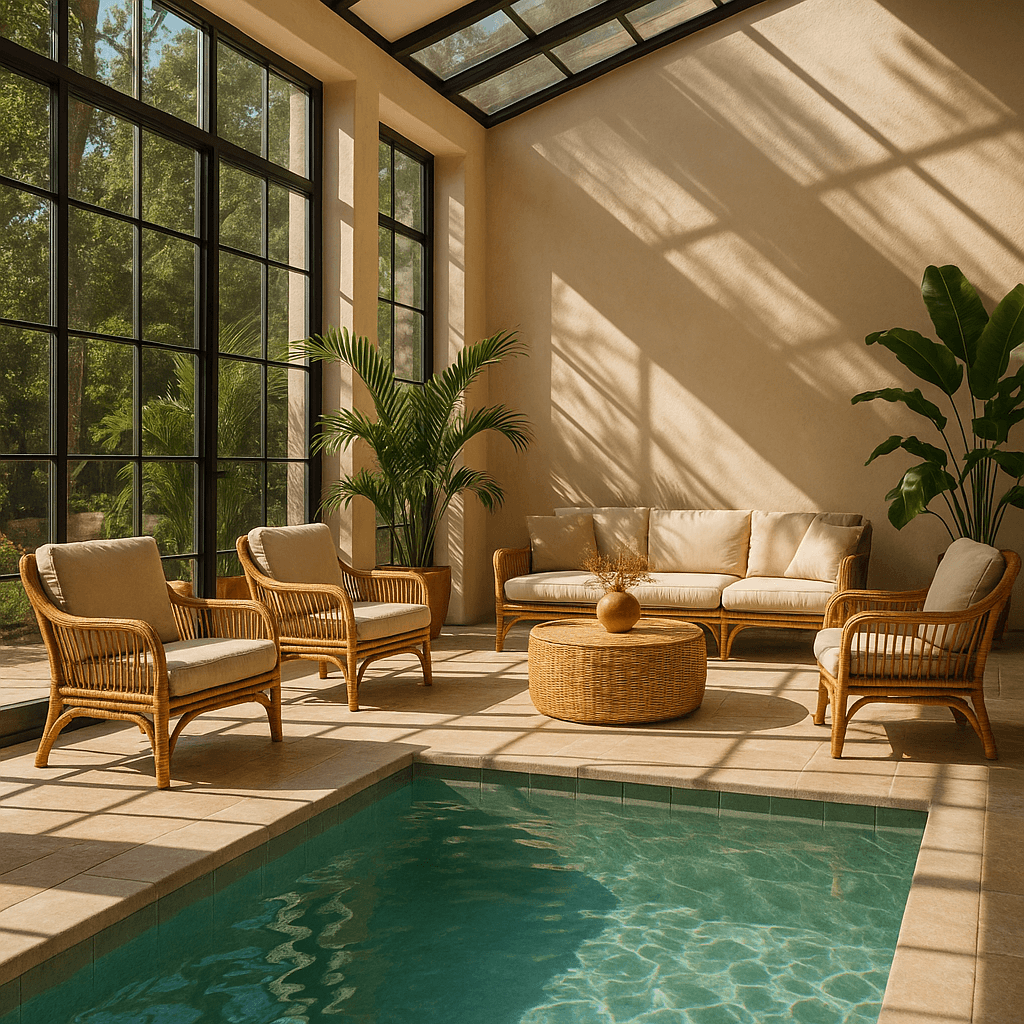
Mask
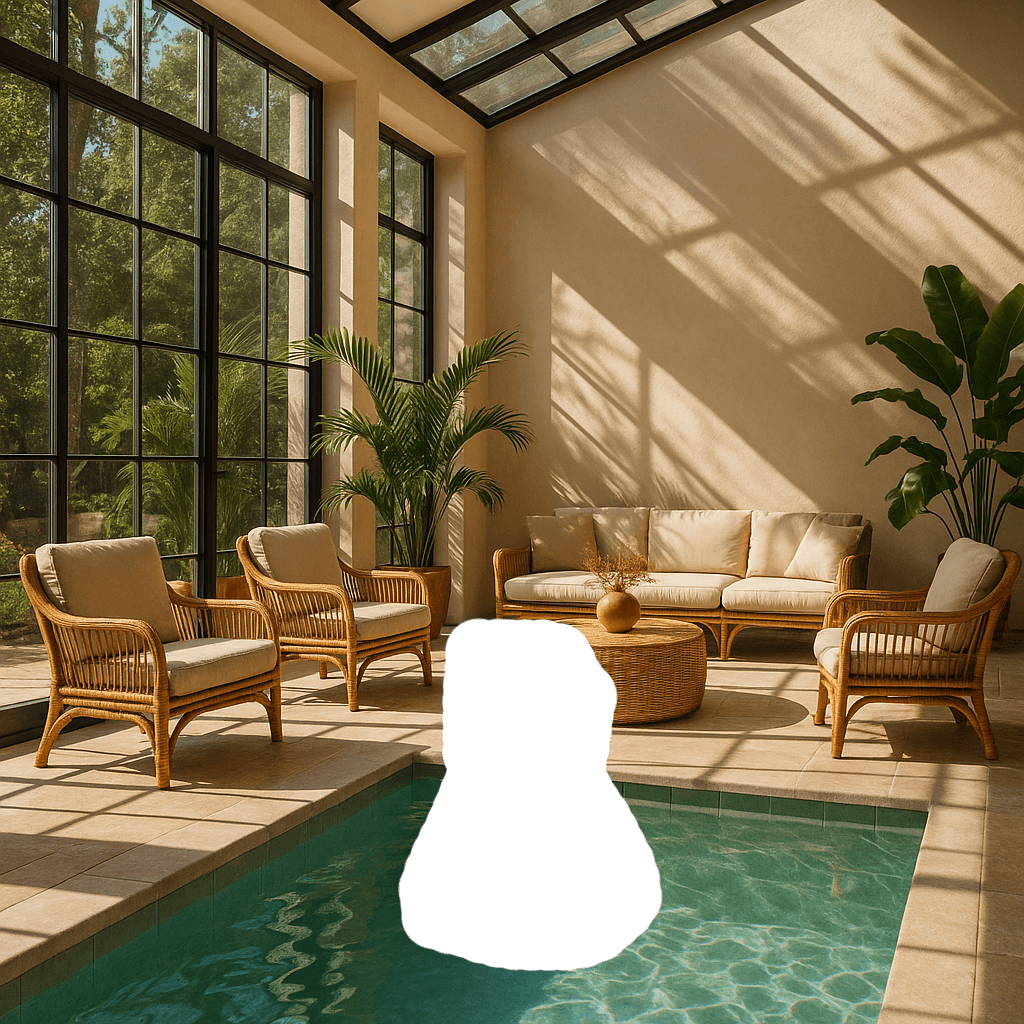
Output
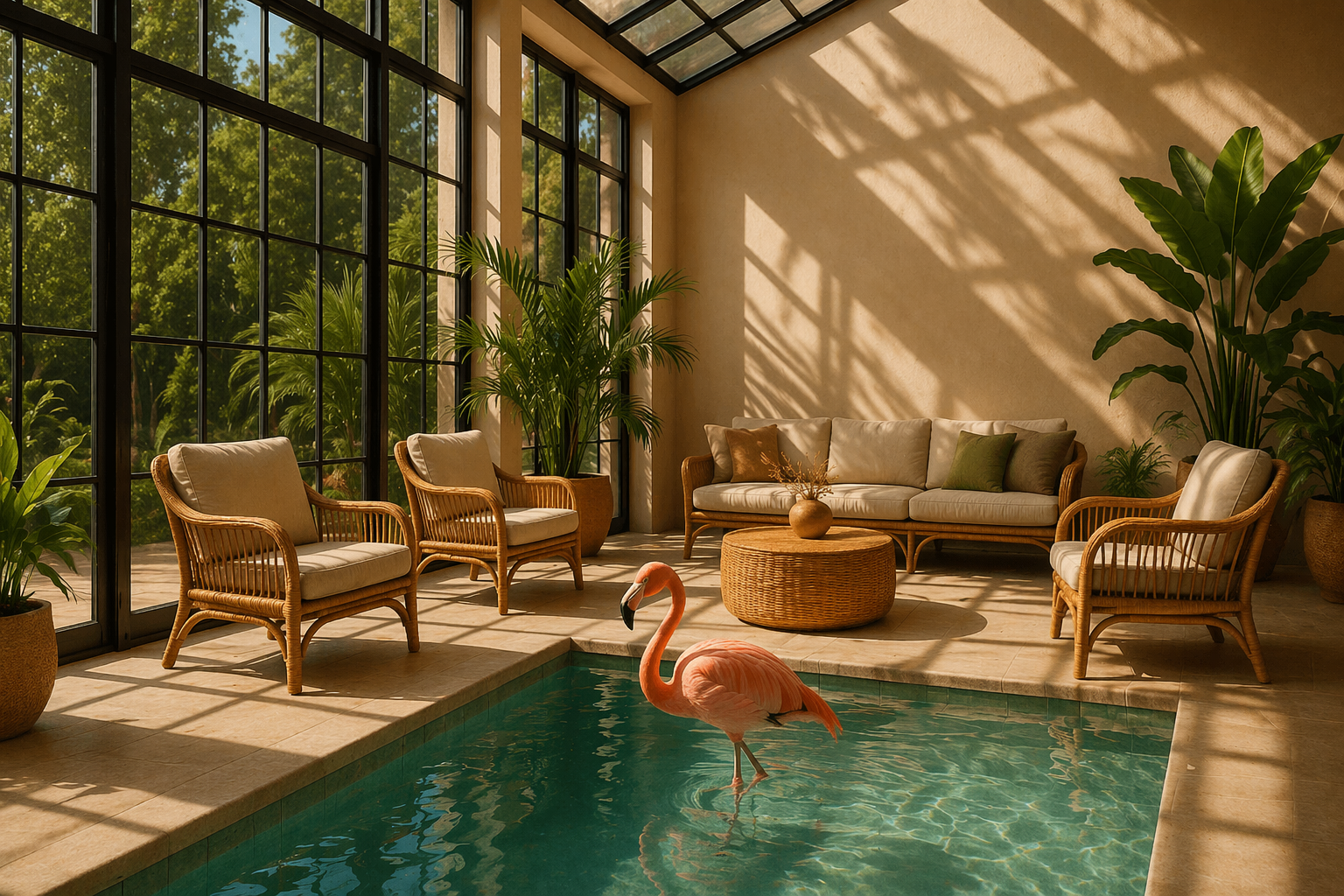
A pink room with a pool A mask in part of the pool The original pool with an inflatable flamigo replacing the mask
一个粉红色的房间,里面有个游泳池。游泳池的一部分被一个面具遮挡。原来的游泳池里,面具被一个充气火烈鸟图案取代了。
提示:一个阳光明媚的室内休息区,内设一个池塘,池中有一只火烈鸟
Prompt: a sunlit indoor lounge area with a pool containing a flamingo


